

ReportStudio
Reports from your own data. On paper, in Excel, in the inbox.
Design banded reports visually — groups and totals, charts, cross-tabs, invoices and mailing labels — run them on your saved queries and collections, and send them as PDF or Excel on a schedule.
Features
Everything a business report needs.
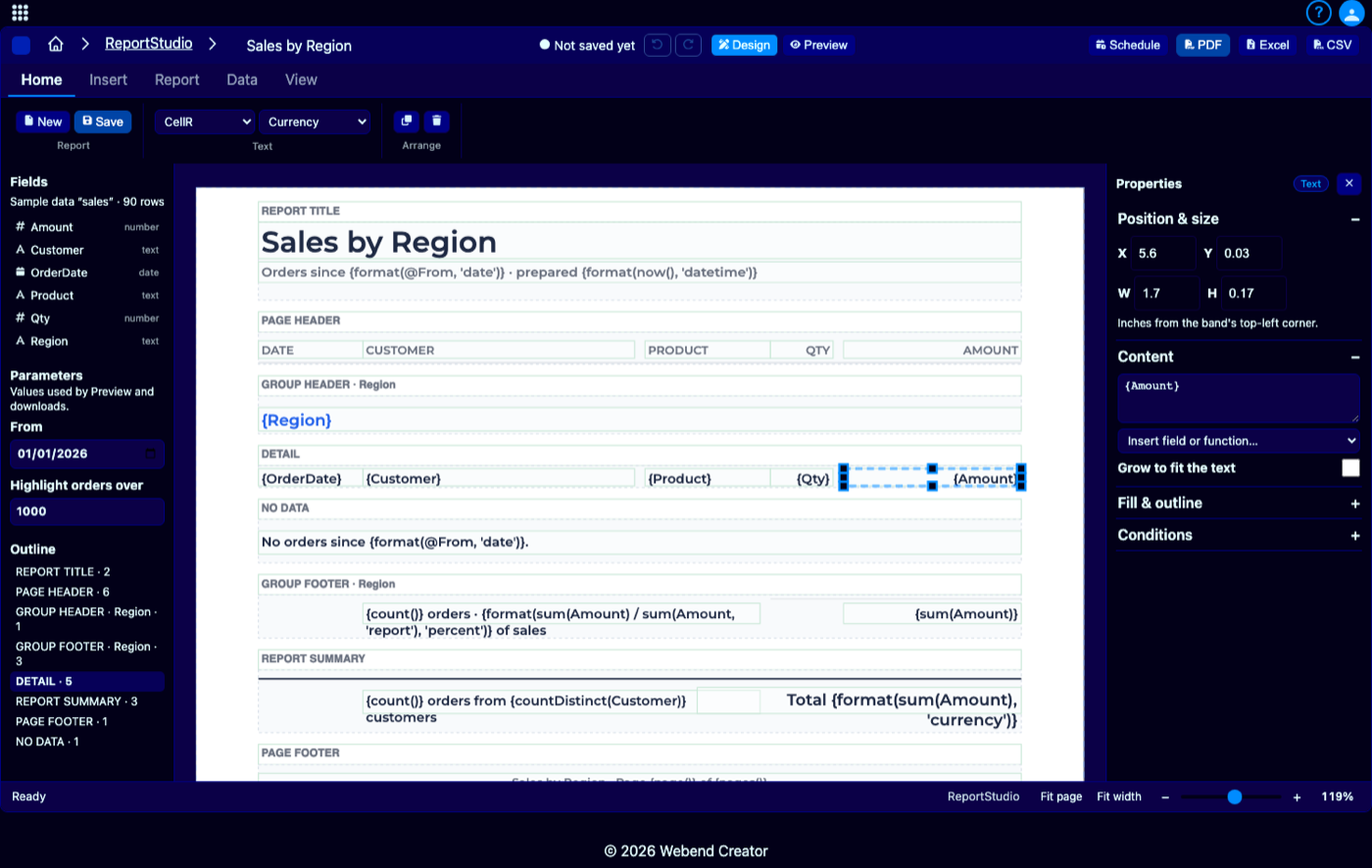
Design it on the page.
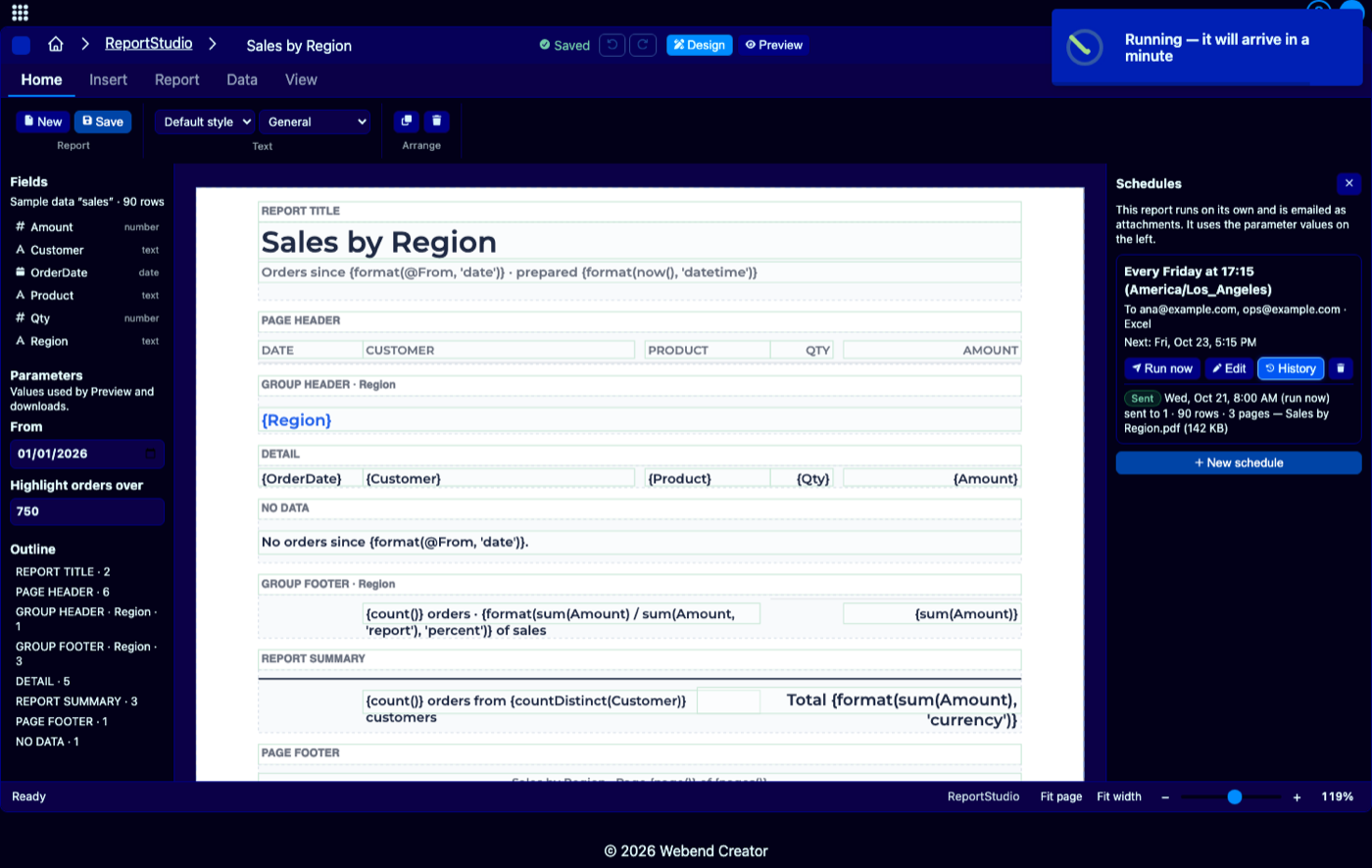
Drag fields from your data onto bands — title, page header, groups, detail, summary. Move and resize with the mouse, edit text in place, and set formats, styles and conditional highlights in the properties panel.
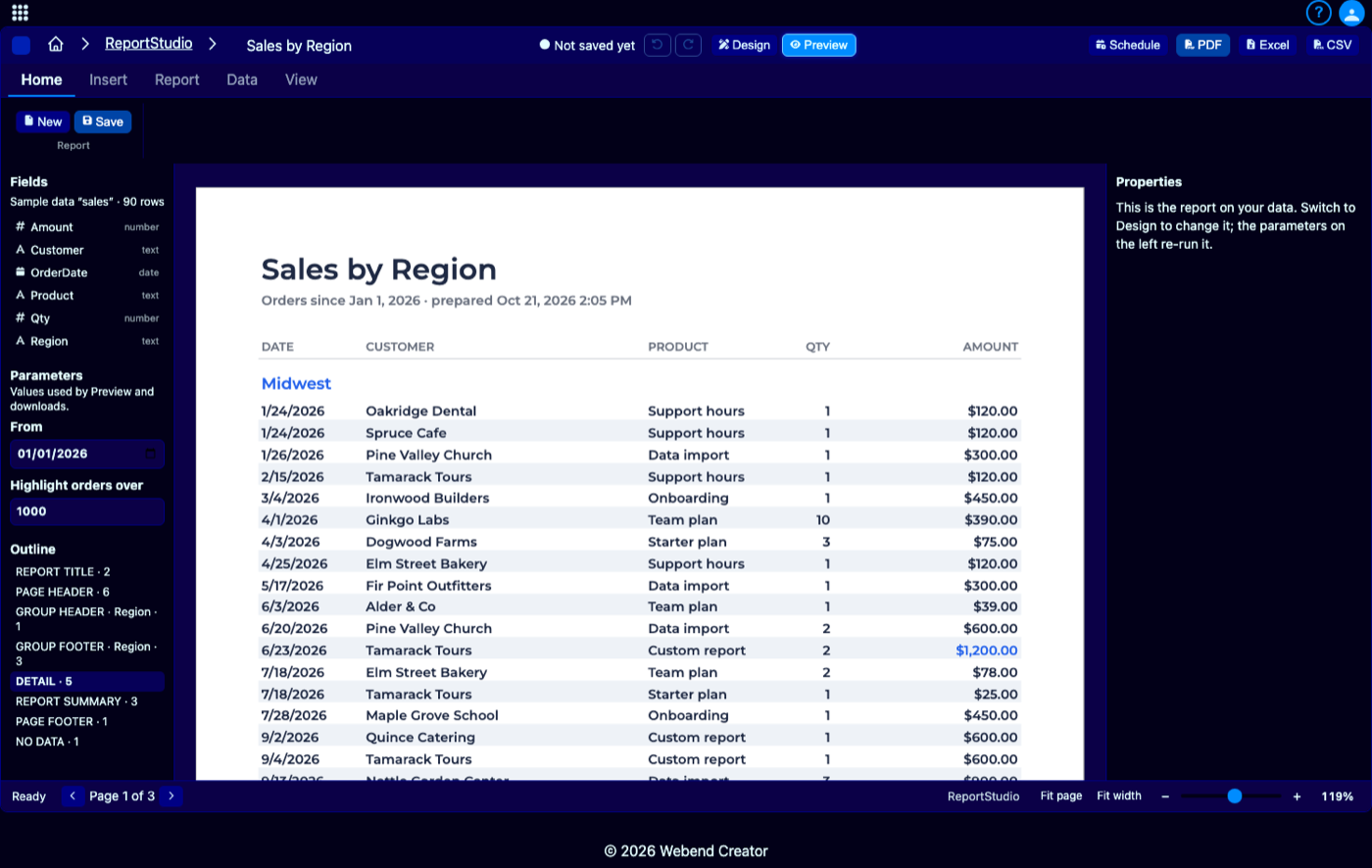
See the real report as you edit.
Preview runs the report on your actual data in the browser — every change, instantly. Parameters on the left re-run it for a date range or a customer, exactly as the PDF will look.
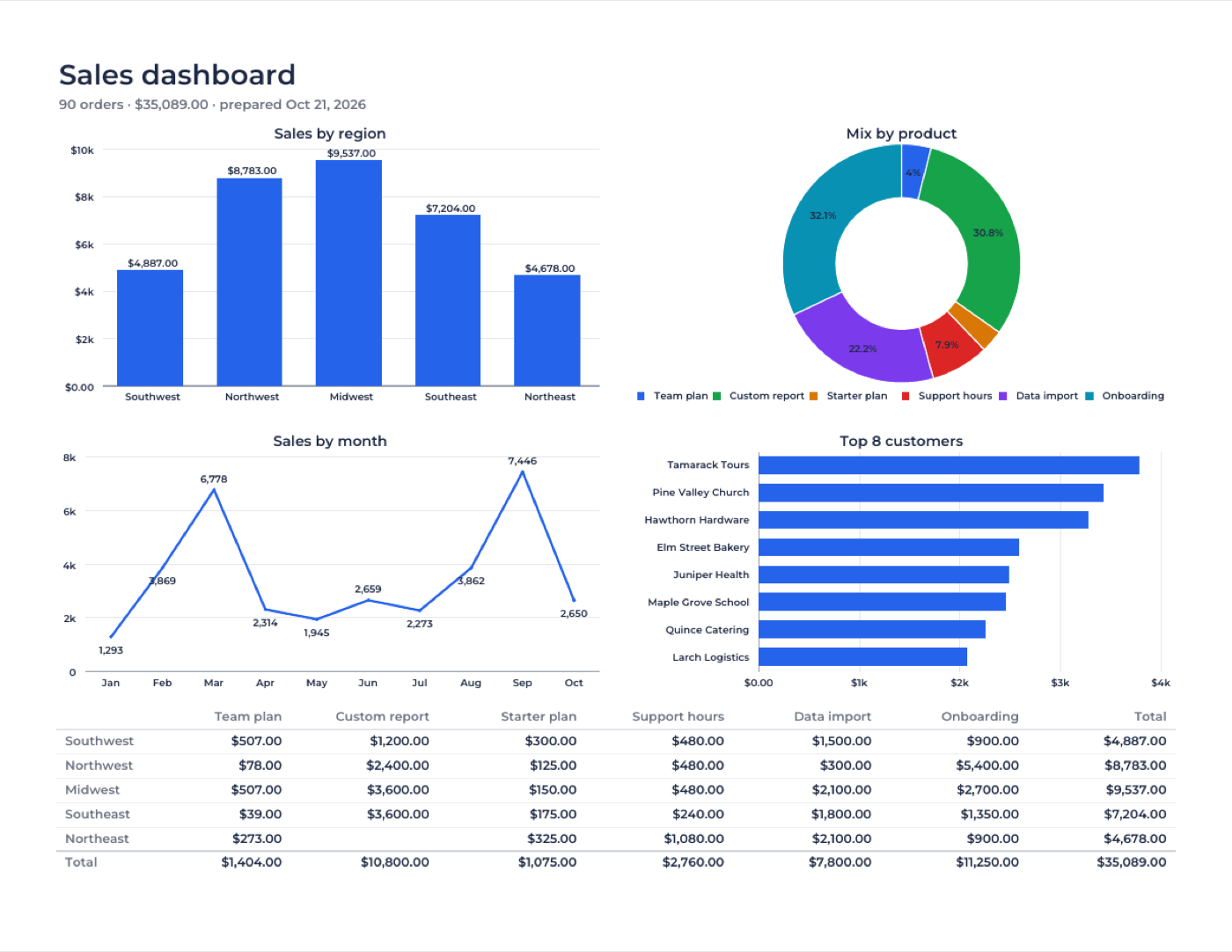
Charts, cross-tabs and tables.
Column, bar, line, area, pie and doughnut charts per group or for the whole report; cross-tabs with row and column totals; small tables of a group's rows or an order's lines. All vector, crisp in print.
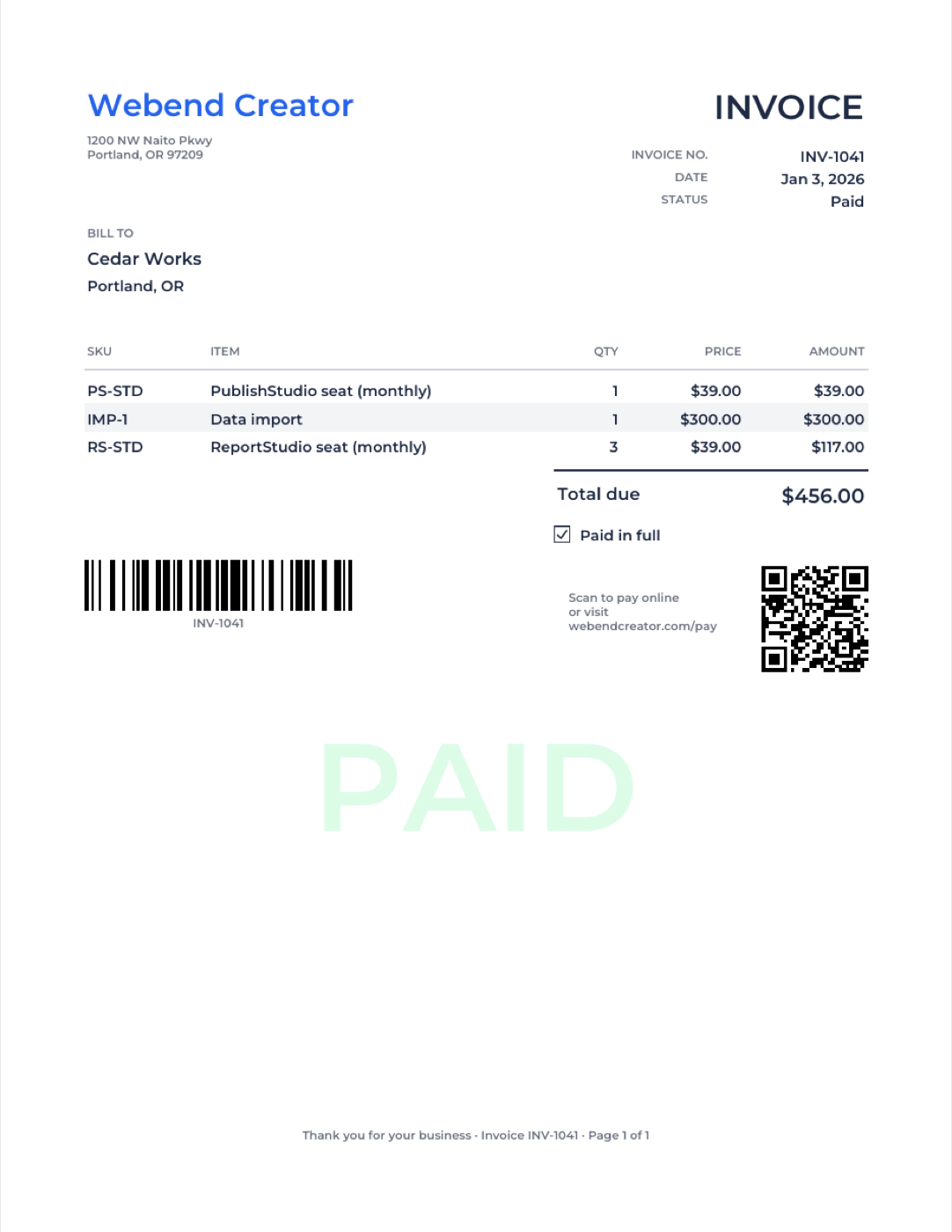
Invoices, barcodes and labels.
Line items under each order, page totals carried forward, Code 128 and QR codes, checkboxes, a PAID stamp behind paid invoices, and mailing labels on standard sheets.
On a schedule, by email.
Every weekday at 8:00, every Friday, the first of the month — ReportStudio runs the report and emails it as PDF, Excel or CSV attachments, with a history of every send.
What makes ReportStudio different
A real report designer, on the data you already have.
Reports read your DataStudio saved queries and your own collections directly — no spreadsheets to copy, no stale extracts.
Every report runs under the same access rules as the rest of Webend Creator; scheduled reports may read only what their owner approved.
The same engine draws the designer, the preview and the PDF, with the same fonts — what you see is what prints.
Nested groups, running and carried-forward totals, can-grow bands, multi-column labels, conditional formatting — the features of the classic report writers, in the browser.
Download the rows behind any report as a formatted Excel workbook or CSV, safe to open (no formula injection).
Every report is also a short, readable ReportSpec file — reviewable, diffable, and easy to copy between workspaces.
Use cases
What people make with ReportStudio.
Sales and finance
Sales by region and month, pivots by product, monthly statements — with charts and totals, emailed to the team every Monday.
Invoices and statements
One invoice per page with line items, totals, a pay-online QR code and a PAID stamp — printed or emailed straight from your orders.
Operations
Inventory with low stock in red, orders with their items, packing lists — the reports the floor actually uses.
Lists and labels
Customer and member directories grouped any way you like, and address labels on standard label sheets.
Design it once. Send it every week.
ReportStudio is available on its own, in the Data & Reporting or Documents bundles, or in the Complete bundle with every Webend Creator studio. Start a 14-day free trial — no credit card.